
Last reviewed 23 November 2026. First published 18 July 2026.
"Self-hosted or SaaS" sounds like one decision. It is really two. Who runs the server, and who holds the files.
Most comparisons of self-hosted SFTP and SaaS file transfer treat those as the same question, because in most products they have the same answer. If you run the server, the files sit on your disks. If a provider runs it, the files sit on theirs. That is why the debate usually ends in a trade, with convenience on one side and control and data sovereignty on the other.
The two questions can be answered separately, though, and once you separate them the choice gets clearer. This article takes them one at a time, with the legal and security facts checked as of November 2026.
We make products on both sides. Syncplify Server! is self-hosted and SFTP.cloud is a service, so we have no reason to push you toward either.
One note on what changed. The first version of this article used the MOVEit breach as an example of SaaS risk. That was not accurate, and the section on responsibility explains what the breach actually showed. Two statistics we could not confirm at their source have also been removed.
Key points
Self-hosted SFTP means you run the server and you hold the files. Traditional SaaS means the provider does both.
Data sovereignty follows the files, not the server. What matters is which company has custody of the data and which country's law reaches that company.
Neither model is safer by default. Self-hosted software has to be patched by you. A service concentrates many customers' data in one place.
A third model now exists. The provider runs the SFTP endpoint and the files stay in storage you own.
What is the difference between a self-hosted SFTP server and SFTP SaaS?
A self-hosted SFTP server is software you install on machines you control. Those machines can be in your own datacenter, in a private cloud, or in your own account at a public cloud provider. "Self-hosted" describes who operates the server, not which building it is in.
SFTP SaaS (also called SFTP as a service, cloud SFTP, hosted SFTP or managed SFTP) is an SFTP endpoint a provider operates for you. You get a hostname and an admin console, and there is nothing to install or patch. In most of these services, the files your partners upload land in the provider's storage.
Self-hosting is still the more common choice. Two market research firms put on-premise deployment at about two thirds of the managed file transfer market (64 percent in 2024 and 65 percent in 2025), with cloud deployment growing at roughly 10 percent a year. These are estimates, but they agree.
Those are the two familiar models. The third appears when you stop assuming that the company running the endpoint must also store the files.
| Self-hosted SFTP | Traditional SaaS | Managed endpoint, your storage | |
|---|---|---|---|
| Who runs the server | You | Provider | Provider |
| Who holds the files | You | Provider | You |
| Who patches and keeps it up | Your team | The provider | The provider |
| What the vendor holds | None of your data | Your files, accounts and logs | Accounts and logs, not files |
| What you install | The server software | Nothing | A small connector next to your storage |
| Fits best | Isolated networks, strict custody rules, teams that already run servers | Small workloads where custody is not a concern | Teams that want no server to run and want to keep their files |
Who is responsible for what?
With self-hosted software, the operational work is yours. You apply the updates, watch the logs, plan for hardware failure and test the backups. The vendor's job is to ship fixes quickly. Your job is to install them.
With a service, that work moves to the provider. So does a share of your risk, because you now depend on how well someone else does it.
The MOVEit attacks of 2023 are the best illustration of both halves, and they are often told wrong (including, originally, by us). A single flaw in the MOVEit file transfer product, documented by the US cybersecurity agency CISA, was exploited at about 100 organizations. According to Cybersecurity Dive's analysis, the damage then spread to more than 2,700 organizations and the records of 93 million people.
Two lessons come out of that, and they point in different directions.
The deployment model protected no one. The flaw affected every version of the product, whether customers ran it themselves or used the hosted edition. Self-hosting is only as safe as your patching.
The spread came from concentration. Most victims never ran MOVEit. Their data was held by a company that did. One services firm, PBI, passed the breach to at least 63 of its clients, and from there to at least 354 more organizations. Any provider that stores files for many customers is a concentration point of the same kind.
So the honest summary is this. A self-hosted server is a smaller target that you must keep current yourself. A service is kept current for you, and it is a bigger target.
Who holds the files?
Data sovereignty means that data is subject to the laws of the place where it is stored and of the company that holds it. The second half of that sentence is the one people miss.
It is a live concern. In an IDC survey from June 2025, organizations named data sovereignty and potential cloud changes as their greatest concerns for 2026. (The finding is published in an IDC brief sponsored by Veeam.)
The reason is a law most buyers have heard of and few have read. The US CLOUD Act, enacted in March 2018, requires providers under US jurisdiction to hand over data they hold or control when served with a valid legal order, whether that data is stored inside or outside the United States. Choosing a European datacenter does not change which company holds your files. In June 2025, a Microsoft France executive was asked under oath in the French Senate whether he could guarantee that French citizens' data would never be handed to US authorities without French approval. His answer was no, though he added that it had never happened.
The requests themselves are routine. Proton, a Swiss privacy company that competes with the big platforms, added up the platforms' own transparency reports and found that Google, Apple and Meta shared data from more than 3.5 million accounts with US authorities between late 2014 and early 2025, not counting secret national security requests. Those are consumer platforms, not file transfer services, but the legal mechanism is the same.
Europe has been building rules in the other direction. GDPR limits transfers of personal data outside the EU. The EU Data Act, which has applied since 12 September 2025, goes further. Article 32 requires providers of data processing services to take measures against foreign government access to non-personal data held in the EU, where that access would conflict with EU or national law. A provider caught between the two sets of rules has a problem, and so does its customer.
The practical point is simple. A provider can only be compelled to hand over what it holds. We are a US company ourselves, so this applies to us too, and it is why the three models differ so much.
Try it
Follow the file.
Pick a model to see who runs each part and where the file comes to rest.
Orange outline means it is yours. Dark means the provider runs or holds it.
With self-hosted software, the vendor holds none of your data. Syncplify Server! runs on your machines, and we never receive your files. With a traditional service, the provider holds everything. With a service that does not store files, the provider holds only what it needs to run the endpoint. For SFTP.cloud that means usernames, password hashes, public keys and connection logs. The files stream through to storage you own and are never written to our disks.
One caution applies to all three models. "Your own" storage is only as sovereign as the company behind it. A server in your own datacenter is yours. A virtual machine or a storage bucket rented from a cloud provider is held by that provider, and the same reasoning applies to it. If sovereignty is the reason you are choosing a model, follow the file all the way to the disk it rests on.
What does each model mean for compliance?
No major regulation says "self-host" or "use the cloud". What they regulate is responsibility, and each model distributes it differently.
HIPAA allows cloud services, with a contract. The US health department's guidance says a provider that stores electronic health information is a business associate even if the data is encrypted and it has no key. You need a business associate agreement before the first file moves. If you self-host on your own hardware, no third party holds the data and there is no agreement to negotiate. If you self-host in a public cloud account, the cloud provider is the business associate.
DORA leaves the responsibility with you. For financial firms in the EU, Article 28 of the regulation says the firm remains fully responsible for compliance when it uses an outside technology provider. For services that support critical functions it also requires a documented and tested exit strategy. A service is allowed. Handing it over and forgetting about it is not.
Some environments rule a service out. Air-gapped networks, by definition, cannot use an endpoint on the public internet. Self-hosted software inside the perimeter is the only option there.
Audit evidence has to be yours. Whichever model you choose, an auditor will ask for a record of who accessed which file and proof that the record was not altered. Self-hosted servers with signed audit logs keep that record entirely in your hands. With a service, ask where the logs live and whether you get your own copy.
What does each model cost?
The price tags are easy to compare. The work behind them is not.
Self-hosted software is usually a license plus yearly support. At today's list prices, Syncplify Server! Professional is $1,999 once and $599.70 a year for support after the first year. On top of that you supply the server, the operating system and the hours of the person who looks after it.
A service is a subscription. SFTP.cloud starts at $2,400 a year, with no charge for storage or bandwidth. There is no server to buy and nobody on your team gets paged at night.
The gap between those two numbers is the price of having someone else run the endpoint. Whether it is worth paying depends on what an hour of your own team's time costs and how many of those hours a file transfer server takes. For a team that already runs servers well, it is few. For a team that does not, it is more than most people expect.
When is SaaS file transfer the right choice?
When you do not want to maintain any infrastructure. This is the most common reason and a perfectly good one. If nobody on your team wants to own a server, its patches and its uptime, a service removes all three.
When you need an endpoint this week. A partner is ready to send files and the project cannot wait for a server to be ordered, hardened and approved.
When the workload is small or uncertain. A handful of partners and a few transfers a day rarely justify a server of their own.
When your network should not accept inbound connections. A hosted endpoint means partners connect to the provider, not to your firewall.
If that is you, the questions to settle before signing are where the files rest, which company holds them and under which country's law, and how you would leave.
When is self-hosted SFTP the right choice?
When the data must not leave your environment. Some contracts and regulators say so outright. Others make the paperwork for a third party heavier than running the server yourself.
When the network is isolated. Air-gapped and tightly segmented environments cannot use an outside endpoint at all.
When you already run servers well. A team with patching, monitoring and backups in place adds an SFTP server at little extra cost and keeps full control of availability.
When file traWhen you do not want to maintain any infrastructure. This is the most common reason and a perfectly good one. If nobody on your team wants to own a server, its patches and its uptime, a service removes all three.nsfer is wired into everything else. Custom authentication, event-driven automation and the other moving parts of managed file transfer are easier to build when the server sits next to the systems it talks to.
The third option: a managed endpoint with your own storage
The trade between convenience and custody is a product of how services have usually been built. It is not a law of nature.
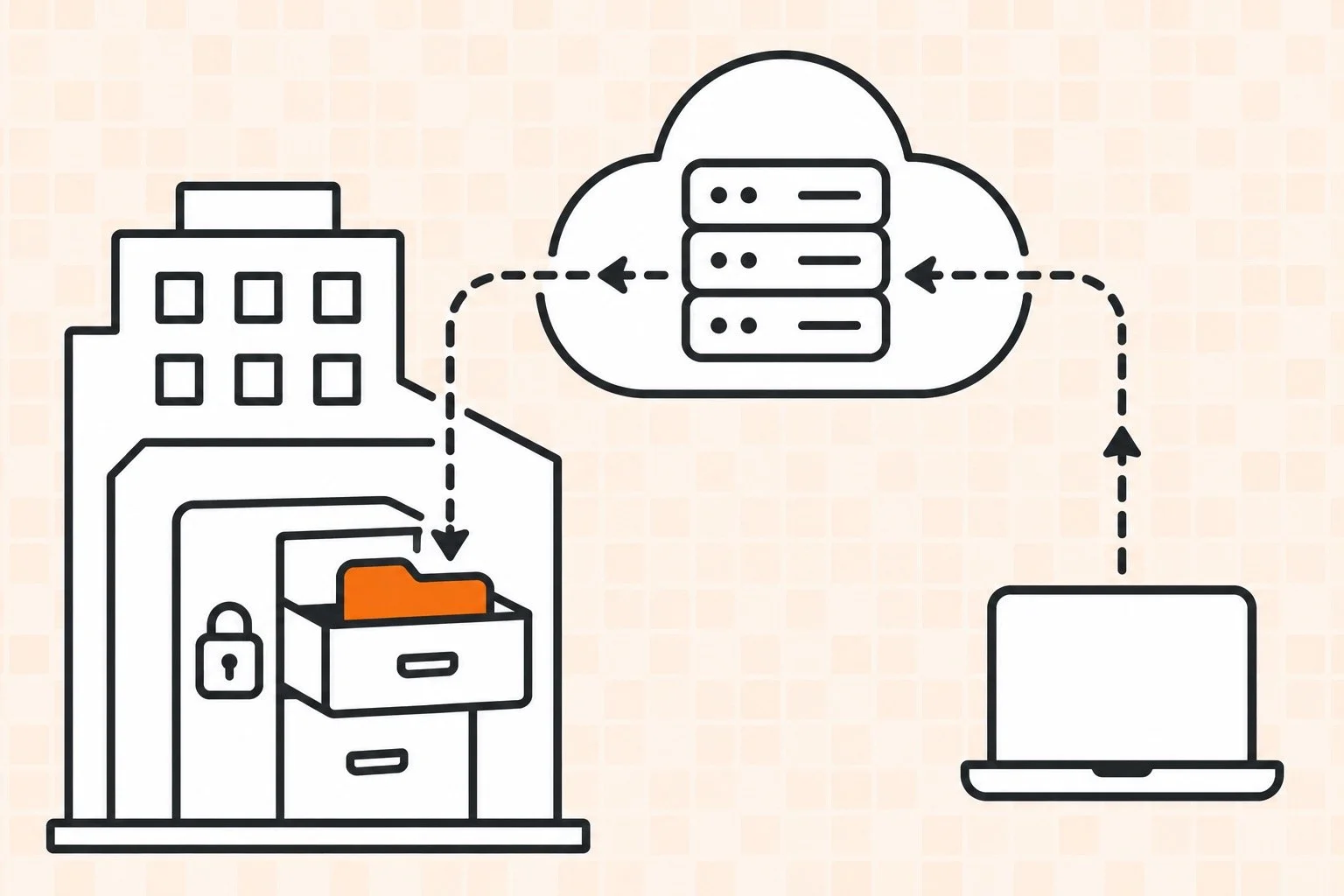
In the third model the provider runs the SFTP, FTPS and HTTPS endpoint, and the files go to storage you already own. This is how SFTP.cloud works. A small Storage Connector, installed next to your storage, opens an outbound connection to the service. Nothing dials in, so your firewall stays as it is. The storage can be Amazon S3, Azure Blob, Google Cloud Storage, another SFTP server or a disk in your own datacenter, and the service never holds the credentials for it.
The limits are worth stating as plainly as the benefits. Files pass through the service on their way to your storage, although they are not stored there. The service keeps account details and connection logs. It is operated by a US company. And if the storage you connect is a bucket at a cloud provider, that provider holds the files. For many organizations that is exactly the balance they want. For an air-gapped network it is still not an option.
Five questions to ask any file transfer provider
Where do my files rest, and who holds the keys? "In our EU datacenter" answers only half of this.
Which company operates the service, and which country's law reaches it? The datacenter's location and the operator's jurisdiction are two different facts.
What do you keep besides the files? Credentials, logs and metadata are data too.
Who patches, and how fast? For a service, ask for the provider's record. For self-hosted software, ask yourself the same thing.
How do I leave? You should be able to take your users, keys and configuration with you in a usable format.
Worth checking today
Three facts to find out about your current setup.
Where do your transferred files rest right now? Name the storage and the company that operates it.
Which country's law applies to that company? Look at where it is headquartered, not only where its datacenter is.
When was the file transfer server last patched, and by whom? If nobody can answer quickly, that is the first thing to fix.
The choice is not really self-hosted against SaaS. It is which work you want to keep and which data you are willing to let someone else hold. Once those two are settled, the product category follows.
Syncplify covers both ends. Syncplify Server! is a self-hosted SFTP, FTPS and HTTPS server with a free 15-day trial. SFTP.cloud is the managed endpoint that leaves your files in your own storage, with a free 14-day trial.
Questions we hear often
-
SFTP SaaS is an SFTP endpoint that a provider hosts and operates for you. You create users and folders in a web console, and the provider looks after the servers, updates and uptime. Cloud SFTP, hosted SFTP and SFTP as a service are other names for the same idea, although "cloud SFTP" is also used for an SFTP server you run yourself on a cloud virtual machine.
-
Yes. With an SFTP service the provider runs the endpoint, so there are no servers for you to maintain. Check where the files are stored. Some services keep them in the provider's storage. Others, such as SFTP.cloud, deliver them to storage you already own, and the only thing you install is a small connector next to that storage.
-
Not automatically. A self-hosted server is a smaller target and keeps data in your environment, but it is only as secure as your patching and configuration. A service is patched for you and concentrates many customers behind one provider. The safer choice is the one whose weak point you can manage.
-
It means the files you exchange are subject to the laws of the place where they are stored and of the company that holds them. For file transfer, the deciding question is who has custody of the files at rest.
-
It can. The Act reaches data held by providers under US jurisdiction regardless of where the data is stored. It does not reach data a provider does not hold, which is why custody matters more than datacenter location.
-
Yes, provided you sign a business associate agreement with the provider. US health department guidance treats a cloud provider that stores electronic health information as a business associate, even when the data is encrypted.
-
It is a design where the provider runs the transfer endpoint and never stores your files. The files go to storage you control, so the provider has nothing at rest to lose or to hand over.
-
No. On-premises means your own building. Self-hosted means you operate the software, which can be in your datacenter, a private cloud or your own account at a public cloud provider.
-
For most small businesses a managed service is the practical choice, because nobody has to patch or watch a server. Choose self-hosted if a contract or regulator requires the data to stay on your own systems, or if you already have someone who runs servers. If you want both the managed service and the custody, look for a service that delivers files into storage you own.
-
Yes. An SFTP service that delivers into your own cloud storage lets customers upload over SFTP while the files land in the bucket your application already reads. You give each customer a login, and there is no SFTP server for your team to run.
-
Both are Fortra products, and both come in two forms. GoAnywhere MFT can be installed on your own servers or bought as a hosted service (MFTaaS). Globalscape EFT is installed on your own Windows servers, and its hosted edition is called EFT Arcus. Installed on your own servers, the files stay with you. In the hosted editions they rest in the vendor's cloud, so the five questions above apply. We compare Syncplify Server! with both, feature by feature, on our GoAnywhere and Globalscape EFT pages.